Newly added...

Saturday, June 13, 2009

Unlocker 1.8.7


Unlock files and folders with right click (more infos) without installation.

---------------------------------------------------------
[
Unlocker] (0.16 MB)

--------------------------------


Extract on hard disk or USB key and run UnlockerPortable.

Settings of installed Unlocker should be preserved.
Right click on a locked file or folder in explorer.
Don't forget to quit Unlocker (tray icon) before shutting down Windows (don't hide tray icon).

Smart Defrag 1.11

Free Disk Defragmenter (more infos) without installation.
-------------------------------------------
[SmartDefrag] (0.8 MB)

Portable PhotoFiltre Studio X 10.0.0


Complete image retouching program (more infos) without installation.

------------------------------------------------------------------------
[
PhotoFiltre Studio] (10.7 MB)

-------------------------------------

Extract (with a PortableApps folder at the device's root) and run PhotoFiltreStudioPortable.
Not registered but unlimited trial (always 30 days remaining)
If you drag'n drop a file on (or open with) PhotoFiltreStudioPortable: it will be opened in PhotoFiltreStudio.

TreeSize Professional 5.2.3.505 En-De


Powerful Graphical Disk Space Manager (more infos) without installation.

---------------------------------------------
[
TreeSize] (6.7 MB)

UltraCompare Professional 6.20.0.1002


Compare Text Files and Folders (
more infos) without installation.

-------------------------------------------------
[
UltraCompare MultiLang Installer] (0.4 MB)

Extract (with a PortableApps folder at the device's root) and run UltraComparePortable.
MultiLang installer (English, French, German, Italian, Japanese, Korean, SimpChinese, Spanish) download setup and extract files from it.

Integrated in shell explorer while running.
Default mode is Text Compare, edit UltraComparePortable.ini with
AdditionalParameters=
-t text compare mode)
-3 (3-way text mode)
-p (fast binary compare mode)
-x (smart binary compare mode)
-d (folder compare mode)
-w (3-way folder compare mode)

WeBuilder 9.52


HTML, CSS, JavaScript, VBScript, PHP, ASP, SSI, WML, Perl editor without installation.
WeBuilder
includes all features of HTMLPad, Rapid CSS & PHP.

------------------------------------------------------------
[
WeBuilder] (6.5 MB)
--------------------------------

Extract (with a PortableApps folder at the device's root) and run WeBuilderPortable.
PHP 5.2.9-2 will be downloaded if you check PHP Interpreter (Preview php page)
Tools/Preview In/Portable Firefox, Netscape or Opera if found.
Settings of installed WeBuilder should be preserved.

Offline Explorer Enterprise 5.5.2994


Save a part or whole web site to drive without installation.

------------------------------------------
[
OfflineExplorer] (6.6 MB)

Extract in your Portable Apps folder and run OfflineExplorerPortable.

XnView 1.96.1


Free graphic and photo viewer (more infos) without installation.

-----------------------------------------------------------
[
XnView] (9.5 MB)
------------------------------------------------


Extract (with a PortableApps folder at the device's root) and run XnViewPortable.
If you drag'n drop a file on (or open with) XnViewPortable: it will be opened in XnView.
Integrated in shell explorer while running: right click on a picture to show thumbnail, convert, send to ImageShack...

Picasa 3.1.0

-------------------------------------------------------------
[Picasa3] (7.8 MB)

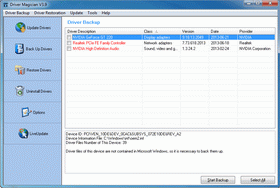
Driver Magician 3.45

Device drivers backup, restoration, update and removal (more infos) without installation.

------------------------------------------------------
[
DriverMagician] (3.3 MB)

------------------------------------------------


Extract (with a PortableApps folder at the device's root) and run DriverMagicianPortable.

If you backup drivers to an auto-setup package, you will have to enter Registration to restore.

jetAudio 7.5.3.15 Plus VX

Media Center without installation.
------------------------------------
[
JetAudio] (12.7 MB)

Google Earth Beta 5.0.11733.9347

Google Search with satellite imagery (more infos) without installation.
------------------------------------------------------
-----------------------------
Extract (with a PortableApps folder at the device's root) and run GoogleEarth*Portable.
Cache in temp folder deleted when leaving, if you want to keep cache in portable folder (to use offline) edit GoogleEarth*Portable.ini.
Settings of installed GoogleEarth should be preserved.

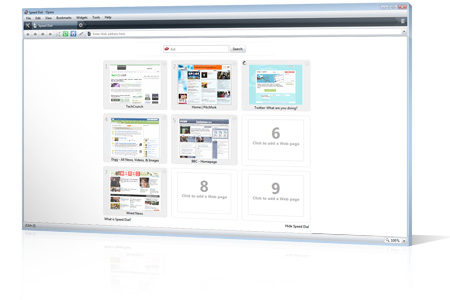
Opera Turbo 10.00.1589 Beta

Fast and free Web browser (more infos) without installation.

-----------------------------------
[
Opera 10 Beta]
-------------------
[
Download Plugins]


Extract and run OperaPortable or Opera10Portable (9 and 10 in same folder with separated settings).
Click in bottom left corner to enable Turbo
Extract Plugins:
Flash 10.0.22.87 & Gears 0.5.21.0.

Friday, June 12, 2009

Notepad++ 5.4.3

-----------------------------------
----------------------------------
Portable settings in Data kept on update.
Settings of installed Notepad++ should be preserved.

GetDataBack for FAT-NTFS 4.00 En-Fr-De

----------------------------------

[Download]
-----------------------------------

Extract and run GetDataBackPortable (for FAT) or GetDataBackNTPortable (for NTFS).
Settings of installed GetDataBack should be preserved.

OrbitDownloader 2.8.12

--------------------
[
Download]

Firefox 3.5 Beta

-------------------------
---------
----------------------------------
--------------------------
Extract Plugins: only Flash 10.0.22.87 tested (type about:plugins in adress bar to list installed plugins).

AbiWord 2.7.4 Beta

----------------------------------------
--------------
If you drag'n drop a file on (or open with) AbiWordPortable: it will be opened in AbiWord.
Settings of installed AbiWord should be preserved.

Google Chrome 3.0.187.1

------------

-------------------------------------
Chromium Latest Installer will download latest build (you can run also as updater to check if you have latest).
-------------------------------------
-------------------------------------

Wednesday, June 10, 2009

Sjboy Portable


----------------------

Foxit Reader v3.0.1506

------------------

Foxit Reader is a free PDF document viewer, with incredible small size, breezing-fast launch speed and rich feature set. Foxit Reader supports Windows 2000/XP/2003/Vista. Its core function is compatible with PDF Standard 1.7.

Now with Foxit Reader, you don't have to endure such pain any more. The following is a list of compelling advantages of Foxit Reader:

Incredibly small: The download size of Foxit Reader is just a fraction of Acrobat Reader 20 M size.

Breezing-fast: When you run Foxit Reader, it launches instantly without any delay. You are not forced to view an annoying splash window displaying company logo, author names, etc.

Annotation tool: Have you ever wished to annotate (or comment on) a PDF document when you are reading it? Foxit Reader allows you to draw graphics, highlight text, type text and make notes on a PDF document and then print out or save the annotated document.

Text converter: You may convert the whole PDF document into a simple text file.

High security and privacy: Foxit Reader highly respects the security and privacy of users and will never connect to the Internet without users' permission. While other PDF readers often silently connect to the Internet in the background. Foxit PDF Reader does not contain any spyware.

------------------

Extract on hard disk or USB key and run FoxitReaderPortable.
Included Add-ons for decoding images in JPEG2000 or JBIG2 formats, displaying Eastern Asian Language in a PDF file, better display quality for graphics and JavaScript support.
If you drag'n drop a pdf file on (or open with) FoxitReaderPortable: it will be opened in FoxitReader.
Language fixed by launcher according Windows localization: English, Arabic, Bulgarian, Hungarian, Catalan, Czech, SimpChinese, TradChinese, Danish, Dutch, Finnish, French, German, Italian, Korean, Norwegian, Polish, Portuguese, PortugueseBR, Russian, Spanish, Sweedish, Japanese.
Settings of installed FoxitReader should be preserved.

------------------

Tuesday, June 9, 2009

FileZilla 3.2.5

------------------------
FileZilla Client is a fast and reliable cross-platform FTP, FTPS and SFTP client with lots of useful features and an intuitive graphical user interface.

Features
--------
Among others, the features of FileZilla include the following:

*Easy to use
*Supports FTP, FTP over SSL/TLS (FTPS) and SSH File Transfer Protocol (SFTP)
*Cross-platform. Runs on Windows, Linux, *BSD, Mac OS X and more
*IPv6 support
*Available in many languages
*Supports resume and transfer of large files >4GB
*Powerful Site Manager and transfer queue
*Bookmarks
*Drag & drop support
*Configurable transfer speed limits
*Filename filters
*Network configuration wizard
*Remote file editing
*Keep-alive
*HTTP/1.1, SOCKS5 and FTP-Proxy support
*Logging to file
------------------------
Extract (with a PortableApps folder at the device's root) and run FileZillaPortable.
Language of installer: English, Arabic, Bulgarian, Catalan, Czech, Danish, German, Greek, Spanish, Estonian, Basque, Finnish, French, Galician, Hebrew, Hungarian, Italian, Japanese, Korean, Kurdish, Lithuanian, Macedonian, Norwegian, Dutch, NorwegianNynorsk, Polish, PortugueseBR, Portuguese, Romanian, Russian, Slovak, Slovenian, Swedish, Thai, Turkish, Ukrainian, SimpChinese, TradChinese.
Settings created in Data, drive letter of portable path updated.
Settings of installed FileZilla should be preserved.
------------------------

Thursday, June 4, 2009

VLC media player 1.0.0 RC2 Multilang

--------------------

VLC media player 1.0.0 RC2 Multilang Portable
The VideoLAN project targets multimedia streaming of MPEG-1, MPEG-2, MPEG-4 and DivX files, DVDs, digital satellite channels, digital terrestial television channels and live videos on a high-bandwidth IPv4 or IPv6 network in unicast or multicast under many OSes.

VideoLAN also features a cross-platform multimedia player, VLC media player, which can be used to read the stream from the network or display video read locally on the computer under all GNU/Linux flavours, all BSD flavours, Windows, Mac OS X, BeOS, Solaris, QNX, Familiar Linux.
------------------------

Password: www.pc-stuffz.blogspot.com

------------------------
Mirror:

[Download] or [Download] or [Download] or [Download] or [Download] or [Download]

WinRAR 3.90 beta 3 32-bit & 3.80 MultiLang


--------------------

Using WinRAR puts you ahead of the crowd when it comes to compression by consistently making smaller archives than the competition, saving disk space and transmission costs.

WinRAR provides complete support for RAR and ZIP archives and is able to unpack CAB, ARJ, LZH, TAR, GZ, ACE, UUE, BZ2, JAR, ISO, 7Z, Z archives.

WinRAR offers a graphic interactive interface utilizing mouse and menus as well as the command line interface.

WinRAR is easier to use than many other archivers with the inclusion of a special "Wizard" mode which allows instant access to the basic archiving functions through a simple question and answer procedure. This avoids confusion in the early stages of use.

WinRAR offers you the benefit of industry strength archive encryption using AES (Advanced
Encryption Standard) with a key of 128 bits.

WinRAR supports files and archives up to 8,589 billion gigabytes in size. The number of
archived files is, for all practical purposes, unlimited.

WinRAR offers the ability to create selfextracting and multivolume archives.

Recovery record and recovery volumes allow to reconstruct even physically damaged archives.

WinRAR features are constantly being developed to keep WinRAR ahead of the pack.

----------------------

Extract (with a PortableApps folder at the device's root) and run WinRARPortable.

Settings of installed WinRAR should be preserved.

------------------------------------

New...